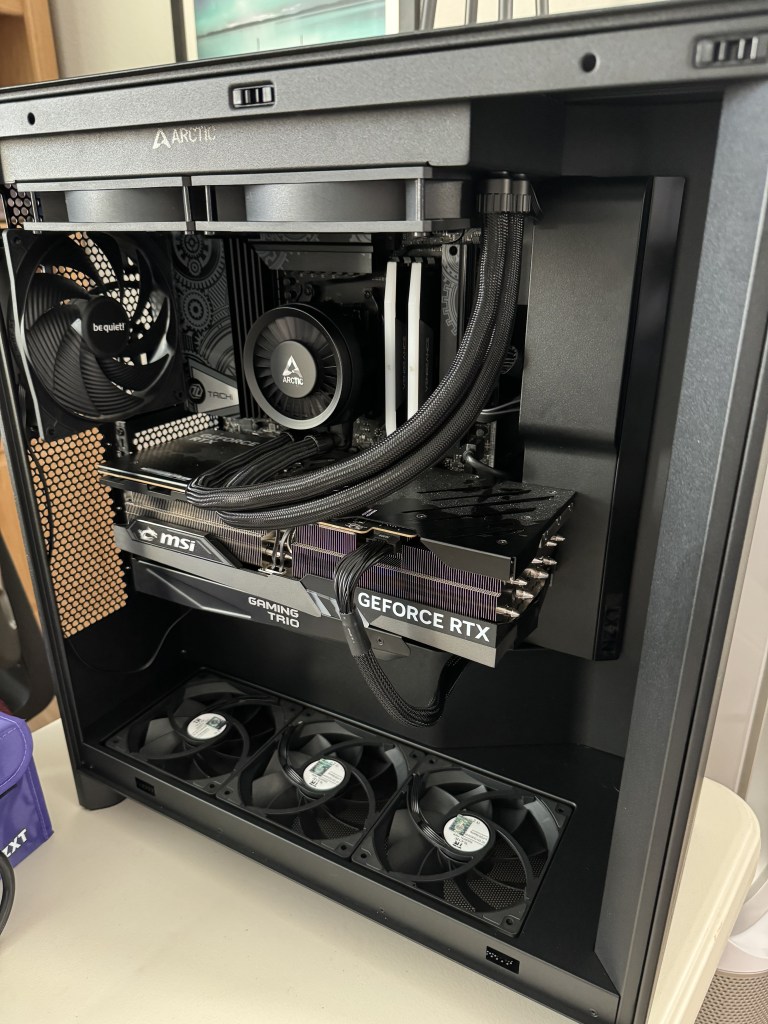
New Build Day!

CPURyzen 7950X3D

CPU CoolerArctic Freezer III 280mm

MotherboardB650E ASRock Taichi Lite

RAMCorsair 48gb 7200mhz DDR5

StorageWD Black SN850X 2TB

Video CardMSI GeForce Gaming X Trio 4090

CaseNZXT H7 Flow (2024)

Power SupplyNZXT C1000 Gold ATX 3.1

Additional FansThermalright TL-C12C X3 & be quiet! Pure Wings 3

Primary MonitorLG C2 42″ OLED

Secondary MonitorINNOCN 28″ Vertical

Peripherals & AccessoriesRazer DeathAdder V3 Hyperspeed, Keychron Q1 HE w/ Glorious Polychroma Keycaps, BenQ Screenbar, Stream Deck, Pulsar ES1 Mousepad, Glorious Wooden Wrist Rest, Sennheiser 560S, Steelcase Gesture, Elgato Wave XLR, Elgato Wave Low-Profile Mic Arm, Fifine Dynamic Microphone, Apple TV 4K

*As an Amazon Associate I earn from qualifying purchases.

Hardware Review – Ubiquiti UniFi Access Points

This isn’t directly related to PC Gaming, but I love these things so much I figured it was worth a write-up.  Also, keep in mind that I am a networking noob, so I’ll probably use the wrong terms at some point.

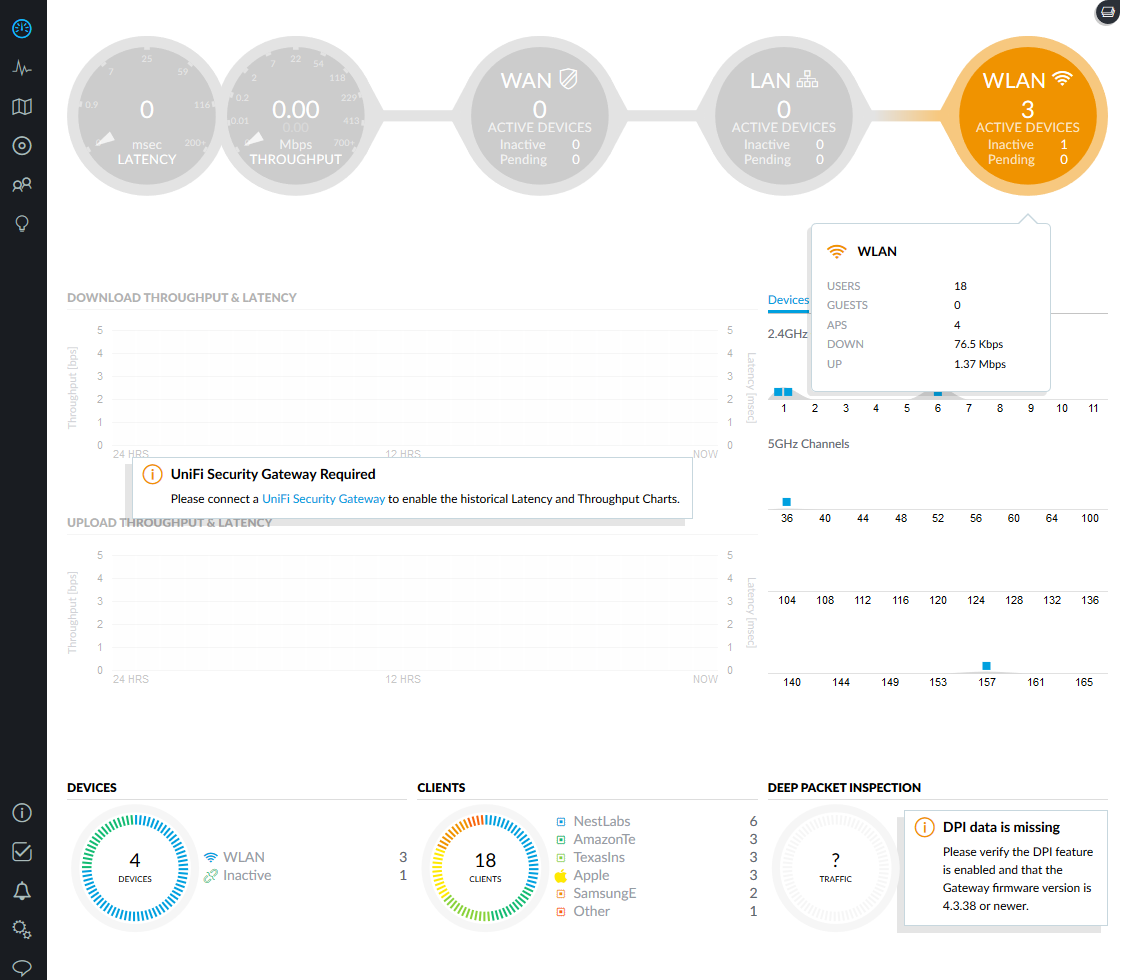
To start, Ubiquiti makes a whole range of networking gear.  It definitely is more of an enterprise piece of equipment versus your typical consumer residential equipment.  This is evident when you set it up.  Most consumer-grade equipment plugs in, has a wizard, and is running in no time.  My Unifi APs (access points) were easy to set up, but took a bit more effort than something you would find from Netgear, for example.  It was still easy to do since I left everything on Auto, but there are a ton of features that I have no business touching.  My main reason to upgrade was simply poor Wifi in spots of my home.  I have several cameras and smart-home items, and everything felt delayed.

One nice feature is that the interface is visually appealing.  I am only running access points right now, but if you add a USG (Unifi Security Gateway) you can access tons of data about all the information you send and receive.  I probably have no use for that as an average consumer, but it would be super cool to see!  You can also add a Cloud Key device if you want to control your network away from home.  For the average consumer though, if you are using the Wifi supplied by your ISP, you should disable that and add a couple Unifi APs.

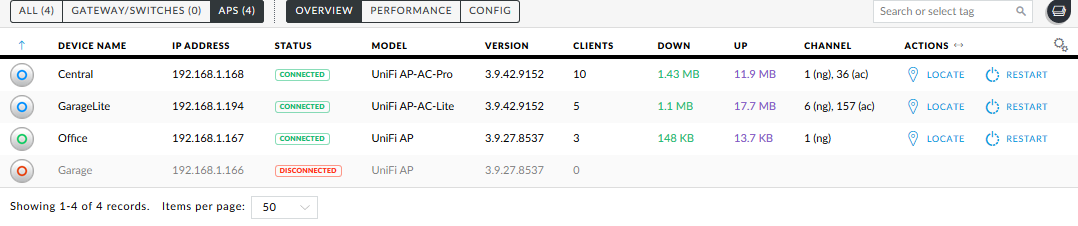
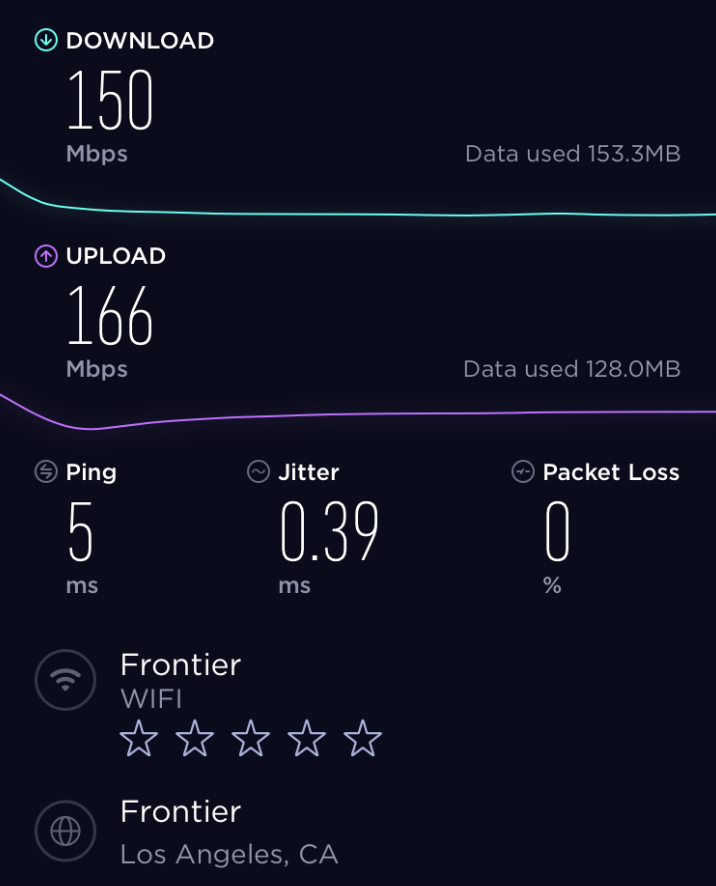
My Frontier plan is 150/150, and with my previous setup I would generally get about 10/10 from anywhere in my house.  I tried Wifi extenders and other options, but they were spotty at best.  In my case I was able to wire 3 APs throughout my house (which is probably way overkill).  Now I can walk from my driveway to my backyard with a super low ping, and full 150/150 speeds on my phone.  My cameras, video doorbell and smart-home devices now load instantly and are very responsive.

They have several different spec APs at different price levels depending on your need, but they are all great pieces of equipment.  Do your research to figure out what is best for your situation.  If you’re like me, you’ll like the quality so much that you’ll go down the Unifi rabbit hole wanting more and more devices.  I know this isn’t directly related to PC Gaming, but I had to plug them because they’re just that good.

Here are a couple of the APs I use:

UniFi UAP-AC-Lite

UniFi UAP-AC-Pro

*As an Amazon Associate I earn from qualifying purchases.

My (dirty) PC gaming rig. What’s in your build?

People love to talk about the specs on their PC gaming rig, myself included!  Sorry in advance for dirty case!
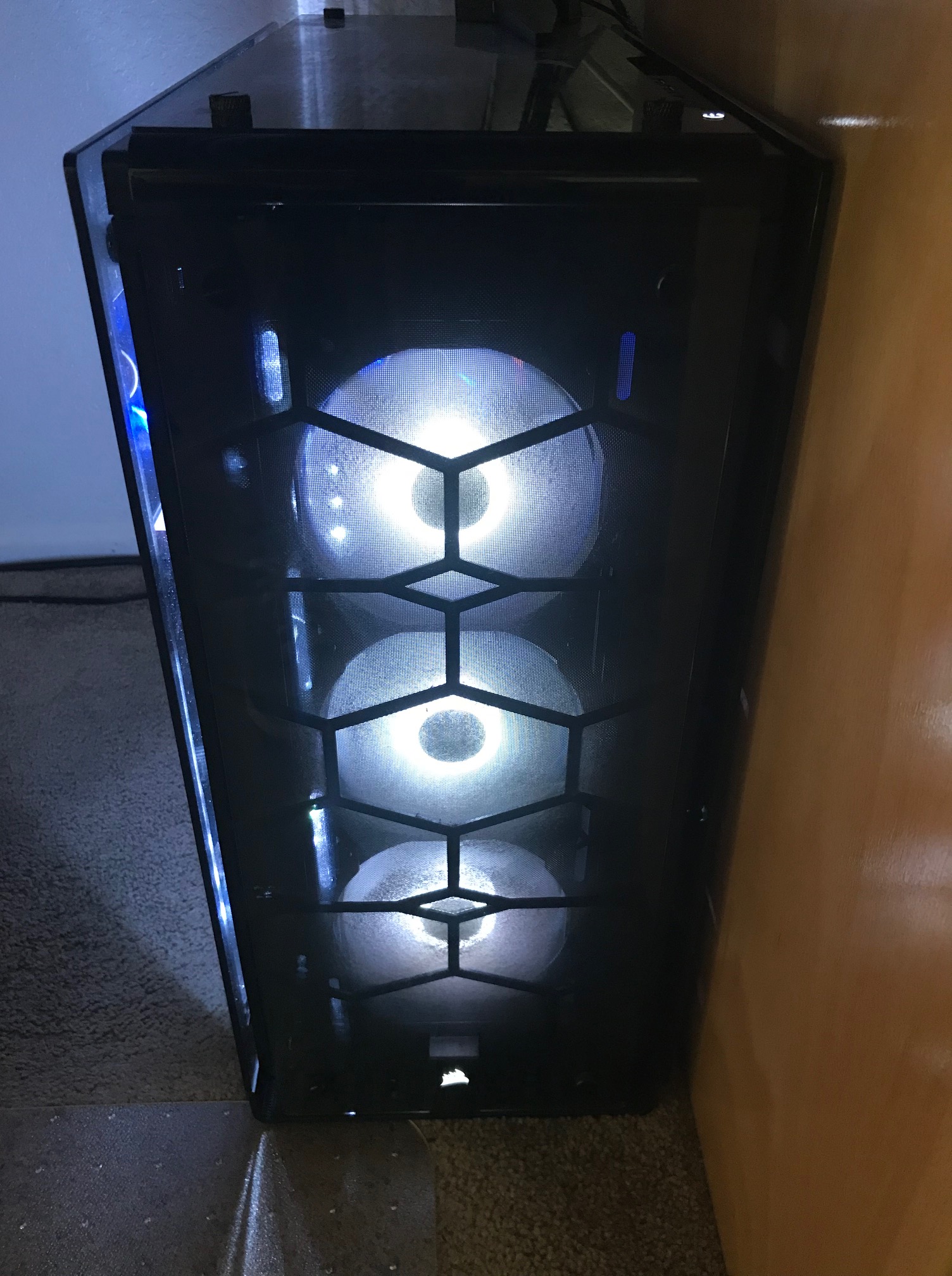
IMG_6634

Case: Corsair Crystal 570X – Tempered glass looks nice until it gets dusty.  It would also be super worrisome if I were lugging it around to a LAN party.  I love everything else about it.  Great air-flow and the included fans are quiet.  I don’t care much for the RBG so I found a nice boring neutral white to leave on.

Motherboard: ASRock x370 Taichi – Overclocking looks to be very simple with this motherboard.  I don’t need to push any hardware yet but I am confident it will handle more speed down the road.

CPU: AMD Ryzen 1800x – This seems like a bit overkill for someone that just games.  Everything sure runs snappy though!  I am running a cheap aftermarket air cooler from Deepcool with no issues.  Currently not overclocking because there is really no need at this point.

RAM: Corsair Vengeance LPX 3000mhz – 16GB of this stuff does the trick.  No issues, but also not overclocking.

GPU: MSI Radeon Vega 56 – I snatched one of these as an upgrade from an older 290x.  It runs everything at ultra/high settings on 1440p with 60+ fps.  That was my goal when I got it, and it delivers.

Storage: Western Digital M.2 SSDs – I am running two of these drives.  They seemed like a good value choice.  Windows definitely loads fast and all the applications are instantaneous.

PSU: Corsair CX750m – It handles my Vega card and hasn’t caught on fire, so I consider this one solid.

Monitor: HP Omen 32″ – This is my primary monitor for gaming.  It is huge, almost too huge for something that sits a couple feet in front of your face.  I picked this monitor because it has a slightly higher refresh rate (75hz), 1440p and Freesync for my AMD video card.  It is a great value with all those features.

Mouse & Keyboard: Logitech G710+ and Logitech G502 – I’ve tried Razor and other brands but I always go back to Logitech.  Their products last.

Headset: HyperX Cloud Revolver – I splurged a bit on this set because I use primarily use headphones over speakers.  I like the features and the quality.  The one downside for me is that because they are a built more heavy-duty than some of the other Cloud models, they do feel a bit heavier.  This can wear on you during long gaming sessions.
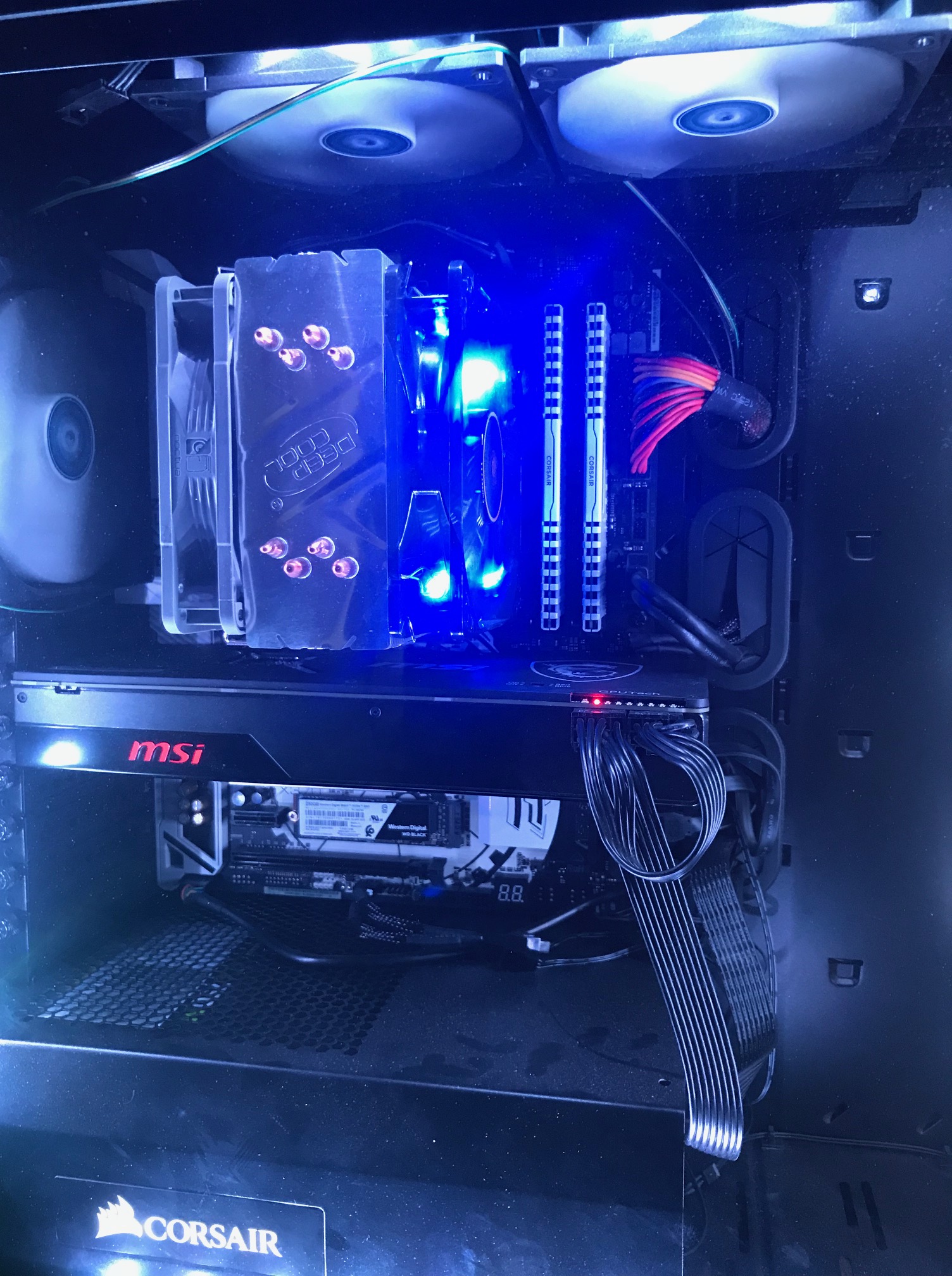
PC_Gaming_Custom


Overall I have been very pleased with the AMD performance even though it goes against the typical Intel/Nvidia grain.  This system should be good to go for several years.  The only item I would consider upcoming in the semi near future would be another monitor that has a higher refresh rate (I heard that is all the rage right now).  Let me know if you have any thoughts or suggestions!

*As an Amazon Associate I earn from qualifying purchases.